-
When This Checklist Applies
-
Step 1: Draw Two Signal Paths Before You Order Anything
-
Step 2: Size the Loudspeakers to the Room, Not the Budget
-
Step 3: Count Inputs Twice Before You Settle on 16 Channels
-
Step 4: Verify the Mixer's USB Path for Podcast Capture
-
Step 5: Match the Amplifier or the 70V Tap Properly
-
Step 6: Run the 15-Minute End-to-End Test Before the Truck Leaves
-
Three Mistakes That Keep Happening on Rush Orders
-
And the Boundary I Respect
When This Checklist Applies
You're an integrator or a rental company, and the client's event is Thursday. It's Tuesday afternoon. The brief: a conference breakout room for 40, a four-person panel, and a podcast episode recorded in the same space. Normal lead time is five working days. You have about 36 hours.
This is the list I've worked through on 40+ rush corporate-audio orders in six years as a production manager at a regional AV rental company. Six steps, about 20 minutes total, and it forces you to answer the three questions every rush order depends on: how much time is really left, what can physically ship in that window, and what's the worst failure mode once the truck arrives.
(If you have more than 48 hours, go do a site visit instead. This checklist is for the version of the job where you don't get that luxury.)
Step 1: Draw Two Signal Paths Before You Order Anything
The fastest way to mess up a rush conference gig is to treat it as one audio system. It's two systems that share a mixer:
- The room path: panel mics, Q&A mics, laptop audio → mixer → amplifier → loudspeakers. For us, that's usually a pair of Martin Audio X8s on stands, or a Martin Audio ACP-55T install pair if the room is permanent.
- The capture path: the same panel mics → mixer → USB output → laptop. That's the podcast audio side, and it's the part crews discover five hours before doors open.
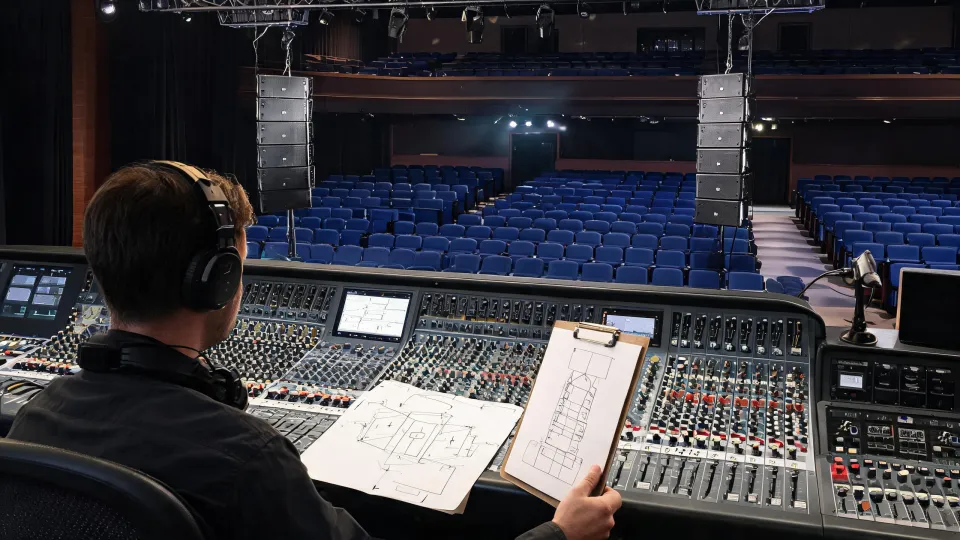
It took me about three years and 60 rushed events to understand that the gear list matters less than the signal-flow diagram. I can spec a small system in 15 minutes now, but I still draw those two paths on paper before calling the warehouse. If the room path works and the capture path doesn't, the client's podcast is dead and the conference call recording is a video file with no usable audio.
The good news is that both paths live on a 16-channel digital audio mixer, so the hardware is usually the same. The risk is that nobody verifies the routing actually handles both.
Step 2: Size the Loudspeakers to the Room, Not the Budget
For a breakout room up to roughly 80 square metres, you don't need a line array. You need two competent point-source boxes on poles, or four small install boxes if the client says “since you're here, can you make it permanent?”
For the temporary version, my default is the Martin Audio Blackline X8. It's a compact two-way—8-inch LF driver with a 1-inch compression driver—rated at 250W AES into 8 ohms with 96dB sensitivity (per the Martin Audio spec sheet at martin-audio.com; verify before quoting, figures as of January 2025). The sensitivity number matters because it means a modest amplifier channel carries speech comfortably. Two X8s on poles easily cover a 50-to-80-person room. Add a third as centre fill if the panel is wide and the room has an awkward sightline.
If the job turns into an install, the Martin Audio ACP-55T is the box I reach for. It's a 5.25-inch two-way with a 70V/100V line transformer, designed to run on high-impedance distributed lines in ceiling or wall-mount positions. For conference rooms, that's usually what a permanent system needs.
(The two sit in different product families for a reason: the Blackline series is the portable/touring line, the ACP series is installation. Don't order ACP-55Ts for a one-off event in a ballroom, and don't order X8s when the client wants low-profile boxes flown in a finished conference space.)
Step 3: Count Inputs Twice Before You Settle on 16 Channels
A 16-channel digital mixer is the right format for a panel-plus-Q&A job. But “16 channels” lies a little. On most desks in that class, two of them are a stereo pair, and a few are line-only inputs without full mic preamps.
Count the real sources for a conference with a podcast element:
- 4 panel microphones
- 2 Q&A handhelds
- 1 laptop for playback (sponsor video, sound bites)
- 1 video-conference feed, if the event is hybrid
- 1 headphone feed for the podcast host
That's nine sources. But the laptop and the video call each eat a stereo input, so you're at 13–14 channels of the desk before you add a spare. The 16-channel digital audio mixer is exactly right. A 12-channel desk would be tight, and an 8-channel would be a career risk. Do this count when you take the booking, not when the client emails an extra panellist at 9pm.
Step 4: Verify the Mixer's USB Path for Podcast Capture
When the brief includes podcast audio, the mixer's USB interface decides whether you look good or look stupid on the day. This is the step I see skipped most often on rush jobs, and it's the one that bit me hardest.
In September 2023, we delivered a 16-channel digital mixer to a conference client with the room sound immaculate. The podcast recording came back with the presenter only in the left channel. The mixer's USB output had a routing default we'd never checked, because we had tested the speakers and not the recorder.
The rule now: if the word “podcast” appears anywhere in the client's email, the mixer's USB output has to do one of two things—send every channel to the DAW separately (multi-track), or at least output a clean stereo mix that includes all panel mics. Some digital mixers in this class do multi-track over USB; some only pass a stereo pair. Both work if you plan for them. Neither works if you're assuming at 6pm the day before.
Honestly, I'm not sure why the USB routing diagrams are so hard to find in digital mixer manuals. My best guess is that the USB output is designed last in the product cycle, after the stage routing, so it gets the shortest chapter. Whatever the reason, budget 20 minutes in the sound check to open the mixer software and confirm the capture path is real.
Step 5: Match the Amplifier or the 70V Tap Properly
Quick but critical. The X8 is an 8-ohm box rated at 250W AES, so you want an amp channel delivering roughly 250–500W into 8 ohms. We run one X8 per channel. Daisy-chaining two speakers onto one channel saves you an amplifier only until the quietest panellist speaks.
For the ACP-55T, the 70V transformer tap is the whole game. Set the tap before the speaker goes on the wall, and set it for the level you actually need—not the low default. Climbing a ladder to re-tap a speaker after the client's lunch break is a mistake I've made exactly once.
That's also where I respect the boundary: Martin Audio makes the loudspeakers and the amplifiers, but not the mixer. The mixer is a separate craft, and I'd rather pair a Martin Audio system with a mixer from a brand that specialises in mixing than pretend one company nails every link in the chain.
Step 6: Run the 15-Minute End-to-End Test Before the Truck Leaves
Do this even when you're exhausted. It's the difference between a rush order and a rescue mission.
- Patch every source you counted in Step 3.
- Set speech levels to roughly 75–80dB at the back of the room. You're reinforcing a conversation, not mixing a concert.
- Start the mixer's USB recording, speak on each mic for five seconds, stop it, and listen back on headphones. All voices centred? The capture path works.
- Test the Q&A mics at real talking distance—about 40cm—not five centimetres from the capsule.
If the room path is right and the recording path isn't, you've just turned a client disaster into a 15-minute fix. If you skip the test, you've shipped that disaster to someone else's venue.
Three Mistakes That Keep Happening on Rush Orders
The mic-count trap. Four panellists on the brief becomes “four panellists plus two Q&A mics plus the CEO joining by video plus a laptop” by Wednesday. Count channels after the final RSVP, not before.
The glass-and-tile room. A conference space with one glass wall and hard flooring will make a good pair of Martin Audio speakers sound like a phone in a stairwell. If the room is live, add a couple of portable absorption panels to the truck, and use the mixer's high-pass filter to keep rumble and reverb out of the speech band.
The one-connector guess. The client's IT person says “the laptop plugs straight in.” It never just plugs straight in. Carry a USB-C adapter, an HDMI audio extractor, and a DI box with a 3.5mm input. The DI box has rescued more conference calls than any spare loudspeaker.
And the Boundary I Respect
When a client asks for something genuinely outside our lane—a broadcast-style podcast studio with video, or a full distributed audio system for a factory floor—I say so. “This isn't our strength; here's who does it better.” That one sentence has won more long-term trust than any demonstration we've ever run.
The gear specs in this article were accurate as of January 2025. Martin Audio updates its product pages, so confirm current numbers on martin-audio.com before you quote a client.